5 Agorapulse Alternatives: Choose by Workflow, Not Feature Count
Compare five Agorapulse alternatives for ecommerce, publishing, enterprise reporting, agencies, and broad social media management.

The best Agorapulse alternative depends on the job you need the software to own. Choose Brandwise when an ecommerce team needs AI-powered customer conversations and moderation; Buffer for straightforward publishing at a lower entry cost; Hootsuite for broad social marketing workflows; Sprout Social for mature reporting and customer-care operations; or Sendible for agency workspaces and client approvals.
That is more useful than ranking five large feature lists. Agorapulse itself covers publishing, a unified inbox, reporting, monitoring, and team workflows. A replacement only becomes better when it solves your team's highest-cost workflow more effectively or with a pricing model that fits how you operate.
This comparison was reviewed on July 23, 2026. Plans and platform support change, so confirm current limits and prices on each vendor's linked plan page before buying.
Agorapulse alternatives at a glance
| Alternative | Best fit | Primary reason to consider it | Important tradeoff to verify |
|---|---|---|---|
| Brandwise | DTC and ecommerce teams centered on comments, DMs, email, and moderation | Customer-conversation automation, brand knowledge, Shopify context, and unlimited team members | It is not a publishing-first replacement for every social marketing workflow |
| Buffer | Individuals and small teams focused on planning and publishing | Simple per-channel pricing, a free tier, and accessible publishing tools | Confirm whether its community workflow covers your inbox volume and required message types |
| Hootsuite | Teams wanting a broad social media management suite | Publishing, inbox, monitoring, analytics, and automation across plan levels | Per-user pricing and advanced workflow placement can materially affect total cost |
| Sprout Social | Established teams with analytics, governance, and customer-care needs | Deep reporting and progressively stronger care and workflow features | Per-seat pricing is a substantial commitment for larger teams |
| Sendible | Agencies and multi-brand operators | Separate workspaces, client dashboards, approvals, and optional white labeling | Confirm the workspace, profile, and advanced-permission limits for your client structure |
Do not treat the table as a universal ranking. Start with your operating bottleneck, then test the two products that fit it best.
First, decide why you are replacing Agorapulse
Agorapulse's social inbox can filter messages, label conversations, automate some inbox actions, and reduce duplicate replies with collision detection on eligible plans. Its broader product also spans publishing and reporting. If those workflows are working, migration may create more cost and disruption than value.
A replacement search is usually justified by one of five concrete needs:
- Customer support is the real workload. Your team spends more time resolving comments, DMs, and order questions than planning posts.
- Publishing must stay simple and inexpensive. You do not need a large inbox, listening, or reporting system.
- You need a broader marketing command center. Publishing, monitoring, engagement, and performance reporting must live together.
- Governance and analysis have become complex. Multiple teams need advanced permissions, customer-care reporting, or enterprise controls.
- You manage clients or many brands. Workspaces, approval boundaries, client access, and branded reporting matter more than a single-brand inbox.
Write down your reason before opening a demo. Otherwise, every vendor can look like the winner because each comparison page emphasizes different strengths.
1. Brandwise: best for ecommerce conversations and AI moderation
Brandwise is the strongest fit on this list when the problem is not primarily scheduling content. It is built for DTC and ecommerce teams handling customer conversations across social channels, email, and live chat.
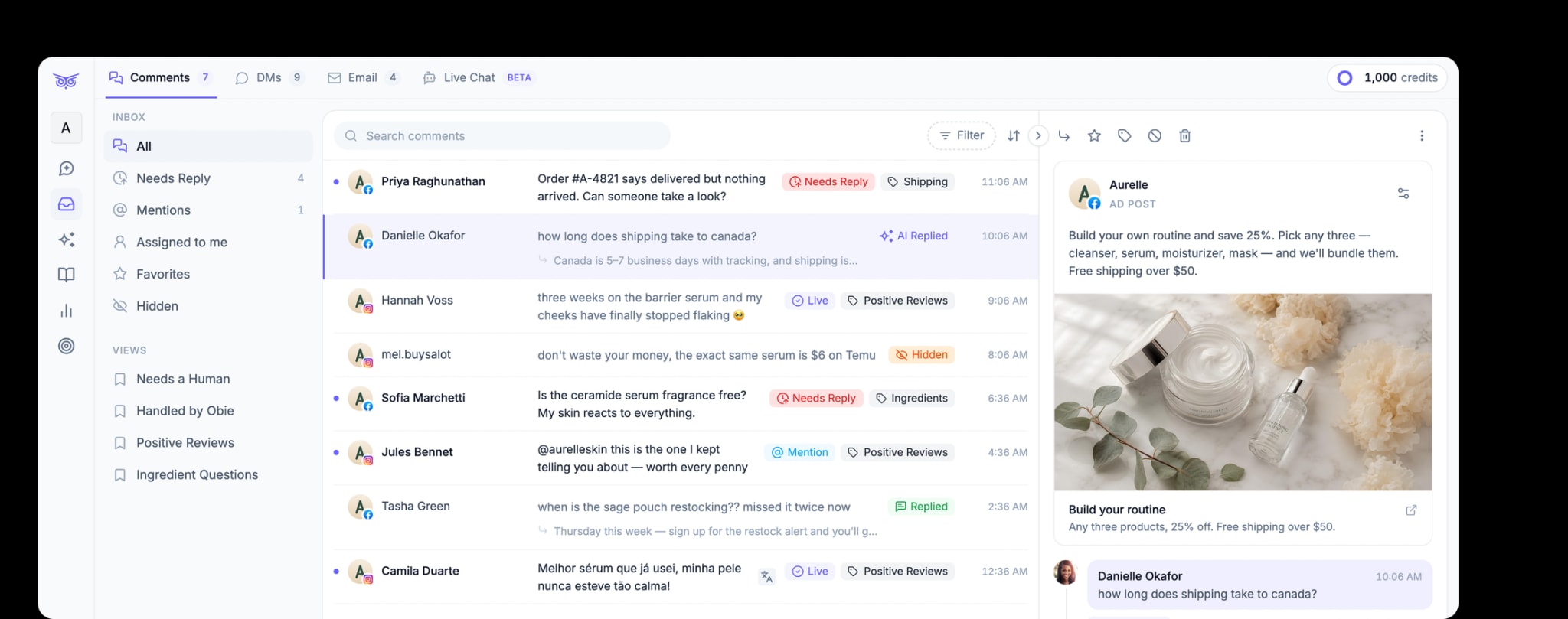
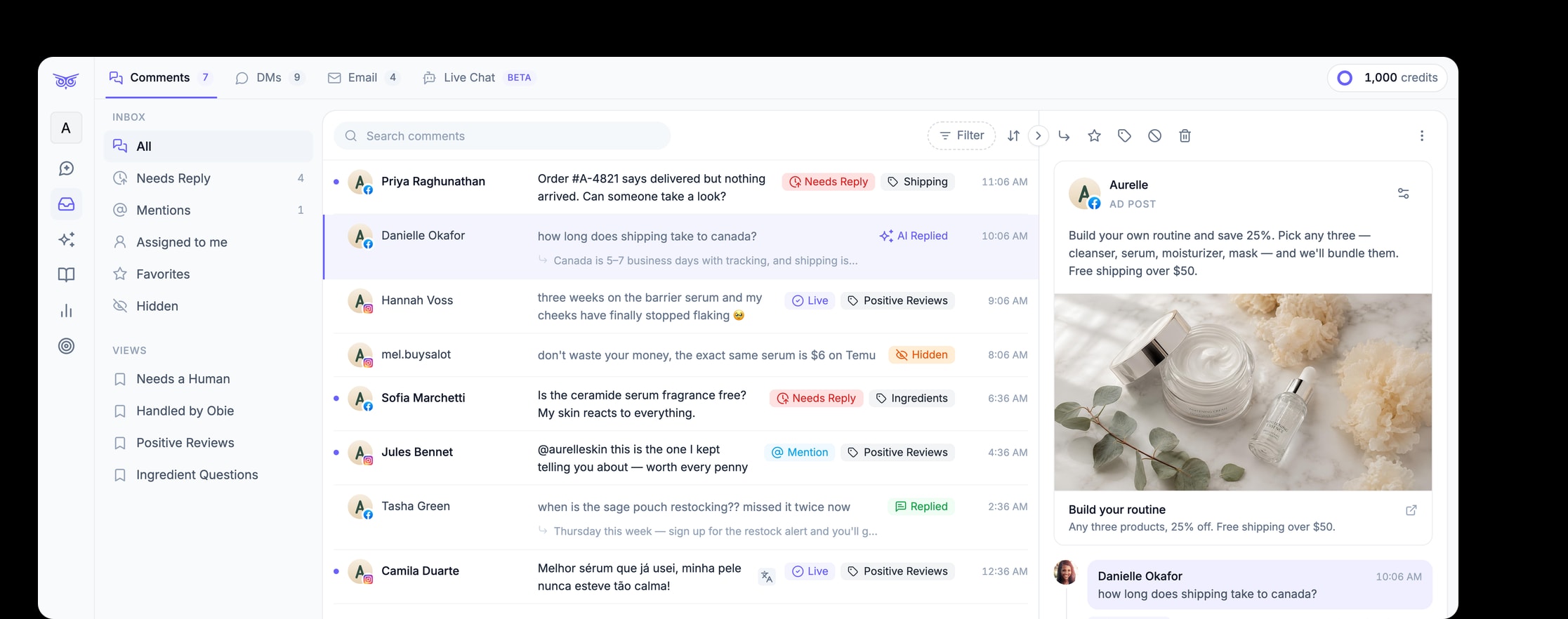
The Brandwise social inbox brings together:
- comments from Facebook, Instagram, TikTok, and YouTube;
- Instagram, Facebook, and TikTok DMs;
- connected email inboxes;
- live-chat conversations;
- filters for status, Smart Label, platform, post type, and assignee.
The differentiator is the action layer. Brandwise can draft or send replies, assign conversations, hide or delete qualifying comments, mark items read, and use different rules for all conversations, those that need replies, or a specific Smart Label. Its own automation guide recommends beginning with draft mode and retaining human handling for uncertain or destructive actions.
For ecommerce, the product also connects conversations to brand knowledge and Shopify context. That makes Brandwise a better candidate when the desired outcome is resolving a product, shipping, return, or order question—not merely clearing an inbox.
Brandwise's current pricing page lists a Standard plan starting at $49 per month, a seven-day trial, credit-based usage, and unlimited team members. Evaluate the number of conversations and automated actions your team expects, rather than comparing only seat prices.
Choose Brandwise when: comments and DMs are support or revenue work; ad-comment moderation is important; your team wants to introduce AI with draft, fallback, and routing controls; or Shopify context matters.
Do not choose it as a like-for-like replacement when: your primary need is a publishing calendar, social listening suite, or agency client portal. You may pair a conversation-focused tool with a lighter publishing tool instead.
2. Buffer: best for simple, economical publishing
Buffer's pricing and feature comparison makes its model unusually easy to understand: plans are priced by connected channel, and it offers a free tier. Its paid Essentials plan adds unlimited scheduled posts, analytics, a community inbox, and publishing utilities. The Team plan adds unlimited users, approvals, and access controls.
Buffer is a sensible Agorapulse alternative when a creator or small brand mainly needs:
- a queue and visual content calendar;
- publishing across common social channels;
- lightweight analytics and reports;
- basic comment replies;
- simple collaboration without paying for a large care or listening system.
The important question is not whether Buffer has an inbox. It does. The question is whether that inbox supports the message surfaces, routing depth, moderation actions, response controls, and volume your team needs. Test representative comments and escalation cases during the trial.
Choose Buffer when: publishing simplicity and predictable per-channel cost are the priority.
Look elsewhere when: social conversations behave like customer-service tickets or you need complex monitoring, governance, or agency separation.
3. Hootsuite: best for a broad social marketing suite
Hootsuite's current plans span publishing, inbox management, monitoring, analytics, and AI assistance. Its Standard plan covers up to ten social accounts, while higher levels add unlimited accounts, inbox automation, custom reporting, approvals, message routing, and team-performance measurement.
This breadth makes Hootsuite a credible alternative for marketing departments that want one recognizable system across the social lifecycle. It can fit teams that have outgrown a lightweight scheduler but do not want to center the buying decision on ecommerce support.
The tradeoff is packaging. Hootsuite says plans are sold per user, and advanced automation and team features sit above Standard. Its page currently lists paid plans starting at $99 per user per month. Model your actual seats and required tier instead of comparing the advertised starting plan alone.
Choose Hootsuite when: publishing, monitoring, engagement, and reporting all need substantial coverage in one platform.
Look elsewhere when: one narrow workflow—such as ecommerce comment automation or low-cost scheduling—drives most of the value.
4. Sprout Social: best for mature analytics and customer care
Sprout Social's pricing page positions its Standard, Professional, Advanced, and Enterprise tiers for progressively larger operations. Standard includes a consolidated inbox and collaboration tools. Professional adds unlimited profiles and deeper competitor and paid insights. Advanced adds AI-assisted replies, helpdesk integrations, customer-care reporting, and message-spike alerts.
Sprout is best evaluated as an operating system for a mature social team, not as the cheapest way to schedule posts. The strongest fit is an organization that can use its reporting, cross-functional workflow, governance, and care capabilities consistently.
That scope comes with a higher per-seat commitment. The current page lists Standard at $199 per seat per month, Professional at $299, and Advanced at $399 with annual billing. Premium analytics and listening may also be separate add-ons. Confirm what is included in the proposed contract.
Choose Sprout Social when: sophisticated reporting, governance, customer-care operations, and integrations justify enterprise-oriented spending.
Look elsewhere when: a small team needs one focused workflow or expects many occasional users.
5. Sendible: best for agencies and multi-brand workspaces
Sendible's plan comparison organizes accounts around workspaces for clients, brands, or locations. It includes client dashboards, approval workflows, permission groups, and optional white labeling on eligible plans. Sendible also says its current plans include unlimited users, with profile and workspace allowances changing by tier.
That structure addresses a problem the other tools do not emphasize as strongly: keeping each client's profiles, content, approvals, and reports separated while an agency team works across all of them.
Do not choose an agency platform based only on the number of social profiles. Build a sample workspace with a client approver, junior scheduler, account lead, and report recipient. Confirm that each person can see and change exactly what your process allows.
Choose Sendible when: client access, workspaces, approvals, and branded delivery are central to your business.
Look elsewhere when: you operate one ecommerce brand and care more about conversation automation than client administration.
How to compare the final two products
Run the same short test in both finalists. A feature checklist cannot reveal the operational friction that appears in real work.
1. Use real message and publishing samples
Import or recreate a normal week: a product question, a frustrated customer, obvious spam, an ad comment, a DM needing private context, a post requiring approval, and a report your manager actually reads.
2. Test the exception, not just the happy path
Ask what happens when an automated answer is uncertain, two teammates open the same conversation, a platform connection expires, a customer needs private help, or a comment was hidden incorrectly. A useful system makes exceptions visible and reversible.
3. Calculate the whole operating cost
Include seats, channels or profiles, usage credits, add-ons, implementation time, reporting work, and any second tool you still need. Also include the labor saved in the workflow that matters most.
4. Define one outcome
For a publishing team, it may be approved posts shipped without rework. For an agency, it may be time per client report. For a customer-care team, it should be resolved conversations—not the number of AI replies sent.
Which Agorapulse alternative should you choose?
Choose the smallest system that fully owns your most important workflow:
- Brandwise for ecommerce customer conversations, AI replies, moderation, and order-aware support.
- Buffer for accessible planning and publishing.
- Hootsuite for broad social marketing coverage.
- Sprout Social for mature analytics, governance, and customer care.
- Sendible for agency workspaces and client collaboration.
If comments and DMs are becoming support tickets or sales conversations, see how Brandwise manages social engagement or start a seven-day trial. If publishing is still the dominant job, test a publishing-first alternative before adopting a larger suite.